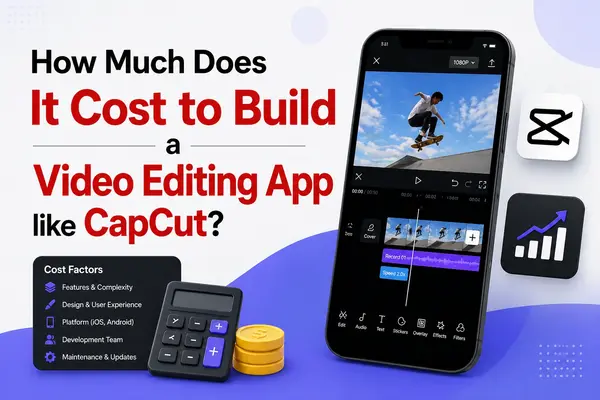
In the digital era, social media and short-form video content have become the most reliable and powerful forms of digital conversation. A Video editing app like Capcut has gained immense popularity by giving content creators and vlog makers a top-class editing tool powered by smart features in a simple and easy-to-use experience. However, for startups & businesses, a common question arises, i.e., “How much does it cost to build a video editor app like CapCut,” & what is the relevant tech stack required to do so?
Developing an AI-powered video editing app is eventually more complex as compared with developing an ordinary mobile app. It includes heavy media processing, real-time rendering, performance optimization, and super-advanced UI interactions. If you want to make a video editing app like CapCut, it’s important to know how much it will cost. This article will talk about the main things that affect the video editing app development cost and also go into detail about Esferasoft Solutions‘ main area of expertise.
Before going forward to the development pricing part, let’s discuss what exactly a video editing app means and what its core features are.
What is a Video Editing App?
Generally, the term “video editing app” refers to a mobile and desktop app meticulously designed to help users edit, trim, and enhance videos. Furthermore, such apps provide seamless features like effects, transitions, text overlays, and audio adjustments, making it an easy-to-use app for creators looking for professional videos for personal and business perspectives.
Why CapCut is Popular
The CapCut app has gained immense popularity across the market because of its User-friendly interface, features, and free accessibility. Moreover, this mobile video editing app enables users to create perfectly sound, high-quality videos for their channels and for businesses. Also, it comes with the core options such as Multi-layer editing, filters, and music synchronization. Its endless integration with social media platforms like TikTok is also the key reason for its widespread popularity among content creators.
Over the years, CapCut has slowly gained the real spotlight among professionals and Gen Z.
Key Features of the CapCut Video Editing App
The CapCut video editing app has become one of the most popular choices for both businesses and content creators all across the globe. Known for its ease of use and user-friendly set, CapCut lets users produce top-quality videos without any need for advanced technical knowledge. Thus, the app also offers a smart and intuitive interface, allowing even beginners to access the app with ease. Adding up some additional features in the app influences the overall CapCut-like app development cost; it’s wise to keep in mind this also before making your decision.
An app is nothing without its features, and here are some of the must-have features, including:
Feature 1. Multi-track Editing
CapCut enables users to edit multiple video tracks at the same time, which simplifies the process of combining various audio elements and textual content with background music and sound effects.
Feature 2. Vast range of Filters & Effects
A lot of filters and effects. CapCut has a huge library of filters, transitions, and visual effects that users can use to make their videos look different and more interesting to watch.
Feature 3. Text and Sticker Integration
The app enables users to create unlimited personal social media video content through its feature, which allows users to insert animated text and stickers.
Feature 4. Audio Editing
Users can use CapCut’s complete audio editing functions to create videos that include background music, voiceovers, and sound effects.
Feature 5. High Resolution Format Export
Whether for social media, websites, or presentations, CapCut allows HDR exports, ensuring the final video meets professional standards.
Having these standout features makes CapCut a versatile video editing tool, offering everything from basic adjustments to advanced techniques for professional-level content.
Why Businesses and Creators Need These Apps
Video marketing serves as an essential tool for businesses and content creators to establish their online presence while connecting with their target audience. CapCut is a video editing app that lets users make interesting videos because videos are the best type of content for getting people to watch them. The video editing app-like CapCut gives users the tools they need to make professional-quality videos that they can share on social media, websites, and email marketing campaigns. Apps enable businesses to perform the following operations:
Increase Brand Recognition: Video content serves as an effective tool because viewers tend to share and remember it, which helps businesses increase their brand exposure.
Businesses can improve their customer relationships through their video content because high-quality videos establish stronger connections with viewers.
The business world needs video content that demonstrates products and services through real-life demonstrations, customer testimonials, and brand stories that create emotional connections with viewers. The apps provide creators with:
Video editing apps enable creators to produce content for YouTube, TikTok, and Instagram because they simplify the video production process.
Content creators should produce top-quality videos, which will help them secure sponsorship deals so they can reach more viewers.
Video editing apps have become essential tools because they enable businesses and content creators to create content that fulfills current audience standards.
Core Features of a Video Editing App
An intuitive and user-friendly video editing app must have the right balance of user-friendly design and super-advanced editing capabilities. At the core of these apps are features that cater to both basic and advanced editing needs.
Basic Editing Tools
Cutting, trimming, and splitting clips are fundamental to any video editing app, enabling users to remove unwanted parts & organize their footage.
Transitions and Effects
The video editing process requires effective audio editing tools, enabling volume control and voiceover addition, and sound effect insertion to create better video content.
Audio Control
To improve video content, you need good audio editing tools that let you change the volume, add voiceovers, and add sound effects.
Text and Graphics
To make sure that videos are optimized for all platforms, the system needs to be able to output in a variety of formats and resolutions.
Export Options
To make sure that videos are optimized for different platforms, they need to be able to output in a variety of formats and resolutions.
The essential functions of a video editing app serve as the fundamental elements that enable users to create content that appears both professional and appealing to viewers.
Advanced Features of Video Editing App like CapCut
The basic video editing needs stem from essential features, while advanced capabilities deliver superior value to CapCut users who need its functions. The advanced capabilities of the software enable users to create videos with high visual quality and unique designs.
Chroma Key (Green Screen)
Users can change video backgrounds through this feature, which uses a common movie-making process that filmmakers and advertisers use to create their work.
Multi-Layer Editing
The Video Editing App like CapCut allows users to simply edit multiple layers once with its tools. Also, this lets them make complicated video projects by adding immersive animations, overlays, and good sound effects.
AI-Powered Features
Advanced video editing app-like CapCut utilizes AI to enhance its features, including object tracking, fast detection, and automated scene transitions to enable fast video editing. The slow-motion and time-lapse tools let creators show intense scenes and add video effects to certain parts to make them stronger, which helps them tell better stories.
Motion Graphics and Animations
This feature lets users add movement to text, logos, and other elements in their videos, which lets them make more complicated visual elements.
These advanced features make video editing better by giving creators new tools to help them turn their work into high-quality content.
Factors Influencing Development Cost
The development expenses for a video editing application that operates like CapCut face multiple components, which organizations must evaluate before proceeding with their development work.
- The development timeline increases as developers have to grasp new skills to make super-advanced AI tools, multi-layered editing systems, and chroma key technology.
- The cost of developing apps for multiple platforms increases because developers need to create different solutions for each platform, which has its own operational requirements.
- A well-polished and easy-to-use interface design attracts users because it contains all essential functions. The production costs of a design increase when its design becomes more complex and visually appealing.
- Cloud storage apps, which include user account services and live update functionality, require advanced backend systems, which will result in higher development costs.
- The app’s ongoing operational expenses will rise because its maintenance activities and bug fixing work will continue until its maintenance period ends.
Video editing app development teams need to analyze these elements because they determine the total development costs based on their project objectives. Businesses and creators who need a powerful video editing solution will find that creating a feature-rich application similar to CapCut requires substantial investment that businesses should consider because it delivers value.
Estimated Cost to Build a CapCut-like App
To build a video editor app like CapCut demands significant planning and resources. Therefore, the estimated pricing to develop a similar app can depend on numerous core factors, including features, platforms, design complexity, and the development team’s location as well:
Basic Version: If you are aiming for a basic version with essential video editing features (trim, cut, filters, transitions, and music integration), development could cost between $40,000 to $70,000.
Advanced Features: For more advanced capabilities such as AI-based tools, real-time collaboration, multi-track audio, and social media integration, the price could range from $100,000 to $300,000.
Platform Choice: The cost will also differ depending on whether you are targeting iOS, Android, or both platforms. Developing for multiple platforms increases the cost due to the need for separate codebases and additional testing. A cross-platform development approach could lower costs somewhat.
Additional Expenses: Don’t forget ongoing expenses such as server costs, app maintenance, updates, and customer support. These can add $10,000 to $20,000 annually to your budget.
In general, the cost can fluctuate depending on whether you opt for offshore development teams, custom features, or the complexity of your design. It’s crucial to gather estimates from reliable app development companies and determine the exact scope of your project.
Challenges in Building a Video Editing App
- There are many problems that developers must solve in order to make a video editing app that works like CapCut.
- A Video editing app-like CapCut require their users to conduct real-time processing of video content, which demands significant computational resources. It’s very hard to make systems that let people watch videos and edit content without having to wait because mobile devices don’t have enough processing power.
- Designing the user interface (UI): It’s hard for designers of video editing systems to make user interfaces that are both simple to use and useful. The design of editing tools must provide both advanced features and basic functions, enabling users to operate the product without facing major challenges.
- The storage requirements of video files create problems because they take up too much space, leading to slower performance for mobile devices. The main problem with the application requires fast operation while handling large file sizes, which should allow users to interact with the system immediately.
- Developers face technical challenges when building apps that need to work across multiple devices using different operating systems and display various screen sizes because these challenges increase the cost of development. To work correctly on both iOS and Android, the app needs some changes.
- When you add third-party media like music, clips, and sound effects to your project, you need to think about intellectual property rights. If you don’t have the right licenses, you could run into legal problems that will delay the release of your app.
How to Reduce Development Cost
The Video editing software app development pricing doesn’t have to break the bank. Here are a few strategies to help reduce development pricing:
- Start with MVP (Minimum Viable Product)
- Utilize Open-source Libraries and Tools
- Outsource to Cost-effective Regions
- Select the Cross-platform Development
- Go for the Cloud-based storage Solutions
Conclusion
Last but not least, developing a CapCut-like app is a challenging but rewarding task. By thoroughly understanding the estimated pricing, recognising development challenges, and employing cost-saving techniques and strategies, you can effectively create a functional and user-friendly video editing app without disrupting your budget. Also, ensure to start with an MVP, focus on the core features, and scale up as you gather user feedback. Additionally, choosing the right team and tools can eventually reduce your overall costs while guaranteeing the quality and performance of the video editing app.
If you want detailed 1:1 guidance and project estimation for building a video editing app like CapCut. Don’t hesitate to connect with the professional experts of Esferasoft Solutions Today.
FAQs (Frequently Asked Questions)
How much does it cost to build a video editing app like CapCut?.
The video editing app development cost ranges from £30000 to £140000, while actual costs depend on essential functions, the chosen development platform, and the team’s geographic location. A basic MVP costs about £30,000, but a full-featured video editing app with AI and support for multiple platforms can cost more than £150,000.
How long does it take to develop a CapCut-like app?
The time it takes to develop a CapCut-like app varies from 4 to 12 months. For example, it takes 3 months to make a basic video editing MVP, but it takes 8 months to make a fully-featured video editing app with AI tools, filters, and support for multiple platforms.
What are the key features of a video editing app like CapCut?
CapCut is a video editing app that has a lot of useful features, such as timeline-based editing, filters and effects, text overlays, speed controls, background music, and transitions. It also has AI-enabled tools that let users auto-caption and remove backgrounds, and they can export their work in a variety of formats.
Which platform should I develop my app on: iOS, Android, or both?
For maximum market reach, developing on both platforms is recommended. Startups that need to conserve their resources should first launch their product on one platform by choosing iOS for its higher revenue potential in the UK and the USA, while they should choose Android for its wider global market access before they expand based on user traction and feedback.
What technology stack is best for a CapCut-like app?
The best technology stack provides native development through Swift or Kotlin while enabling cross-platform development with Flutter and React Native. The standard for video processing in the industry is FFmpeg. The backend infrastructure of applications predominantly employs Node.js and Python for processing applications while using AWS and Google Cloud as storage solutions for rendering purposes and scalable media delivery.
Can I build a video editing app on a low budget?
The most effective low-cost solution begins with a carefully selected MVP system. The team should use the FFmpeg open-source library and choose cross-platform development tools while focusing on the most important editing tasks. They should also hire affordable offshore developers. Lean development processes can help companies create a minimal viable product for between $25,000 and $35,000.
How can I monetize a video editing app?
Freemium subscription models, which provide basic free access to digital content and premium access through paid subscriptions together with in-app purchases for premium content and Pro upgrades through a single payment and brand partnerships, and watermark-based free access with B2B licensing options, represent the confirmed monetization methods. The subscription model generates reliable long-term revenue because it enables customers to choose between monthly or annual subscription plans.
What challenges are involved in building a video editing app?
The development of a video editing app faces multiple obstacles, including handling high-performance computing requirements while achieving real-time rendering capabilities for different hardware systems, processing substantial video content, delivering speedy AI functionality, maintaining uniform system performance, resolving copyright disputes with music libraries, and reducing power consumption during extended video editing work.
Do I need a full development team to build such an app?
The MVP development process doesn’t need all of the resources for development. The project requires essential personnel to develop their initial version, which includes a project manager plus one or two mobile developers, one UI/UX designer, and one QA engineer. The development process for features that include AI and cloud processing will need a large group of specialized professionals who will work together as an advanced team.
Can AI be integrated into a video editing app?
AI now serves as the primary differentiating element in modern video editing apps. The app provides auto-captioning through AI and smart background removal and style transfer filters, automated highlight reel creation, voice-to-text synchronization, AI music matching, and intelligent scene detection. The app enhances user experience through its advanced features, creating a competitive advantage over other apps.